
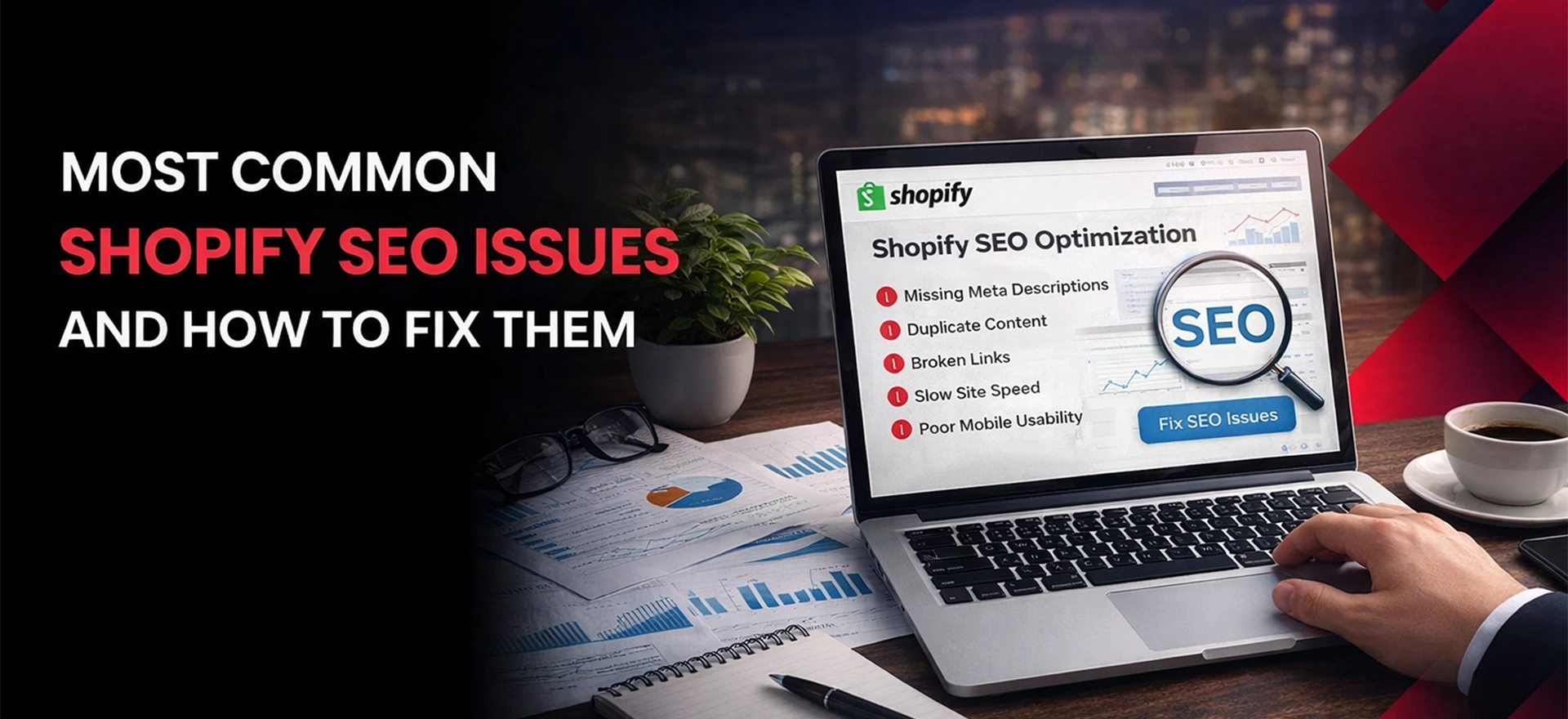
Shopify dominates the eCommerce platform world in 2026, powering millions of online stores. Yet it is difficult for many owners to achieve strong organic visibility. The ease of use of the platform also conceals inherent SEO limitations that will harm rankings and revenue. Shopify’s own data shows that organic traffic is responsible for the highest conversions and stores that invest in SEO have much higher lifetime values than those that rely on paid ads. Search engines are improving their artificial intelligence algorithms that are driven by machine learning, so addressing Shopify-specific SEO challenges is more important than ever.
This guide outlines the most common Shopify SEO issues and provides you with simple and effective fixes you can implement immediately. Whether you’re launching a new store or making tweaks to an existing one, solving these technical roadblocks will increase your organic presence and fuel sustainable growth.
Comparison Table: Common Shopify SEO Issues & Fixes (2026)
| SEO Issue | Why It Happens on Shopify | Impact on Rankings & Conversions | How to Fix It |
| Duplicate URL Structures | Products accessible via multiple paths (/products/ and /collections/) | Diluted link equity, crawl budget waste, indexation confusion | Implement canonical tags, control internal linking paths |
| Slow Site Speed | Heavy themes, excessive apps, unoptimized third-party scripts | Higher bounce rates, lower rankings, reduced conversions | Audit apps, compress images, minimize scripts, use lazy loading |
| Duplicate Content (Collections/Tags) | Tag pages, filtered views, and variant URLs create duplicate pages | Keyword cannibalization, wasted crawl budget | Canonical tags, noindex tag pages, consolidate variants |
| Poor Internal Linking | Default navigation limits link distribution to deep pages | Orphaned products, poor crawlability, weak page authority | Add breadcrumbs, related products, collection cross-links |
| Thin Product Descriptions | Using manufacturer descriptions or minimal content | Duplicate content penalties, poor keyword targeting | Write unique, detailed descriptions with target keywords |
| Weak Meta Titles/Descriptions | Auto-generated or template-based meta tags | Lower CTR, missed keyword opportunities | Manually optimize each page with unique, compelling meta tags |
| Broken Links & Redirect Errors | Deleted products, URL changes, seasonal inventory | Lost link equity, poor UX, crawl errors | Implement 301 redirects, regular link audits |
| Unoptimized Images | Large file sizes, missing alt text, no lazy loading | Slow load times, missed image search traffic | Compress images, add descriptive alt text, enable lazy loading |
| Missing Structured Data | Default themes lack comprehensive schema markup | No rich snippets, lower SERP visibility | Add product, review, and organization schema |
| Poor Mobile UX & Core Web Vitals | Non-optimized themes, render-blocking resources | Failed mobile-first indexing, ranking penalties | Choose optimized themes, minimize CLS, improve LCP |
| Indexation & Crawl Budget Issues | Pagination, filters, and tag pages bloat index | Important pages not indexed, crawl inefficiency | Use robots.txt, noindex tags, XML sitemap optimization |
Common Shopify SEO Issues And Their Fixes:
Issue #1: Shopify URL Structure & Duplicate URL Problems
One of the most persistent SEO challenges on Shopify is its inherent URL structure, which creates multiple paths to the same content. This architectural quirk can significantly impact how search engines crawl, index, and rank your store.
Understanding the Problem
A single product can be found under /products/blue-widget, /collections/summer-sale/products/blue-widget, and /collections/new-arrivals/products/blue-widget. Tag based filters add the URLs like /collections/all/tag+value, which multiplies duplicates. Sorting, filtering and pagination generate more variants which are all separate URLs which can dilute page authority.
Step‑by‑Step Fixes
- Implement Canonical Tags: – Shopify already has canonical tags to the /products/ version. Check header is using “{{ canonical_url }}” to keep the reference accurate.
- Control Internal Linking: Update the theme so that navigation, featured products links and related always point to the canonical /products/. Unless you need a specific collection context, use “product.url” instead of collection-based paths.
- Monitor in Search Console: Monitor the Coverage report for duplicate warnings on a regular basis. Submit the canonical sitemap and make sure that Google’s URL inspection tool recognises the preferred URL.
Issue #2: Slow Site Speed & Performance Bottlenecks
Page speed directly impacts both search rankings and conversion rates. According to Cloudflare, 47% of customers expect a webpage to load in 2 seconds or less. For eCommerce specifically, each additional second of load time can reduce conversions substantially.
Common Causes On Shopify
Heavy theme code, too many JavaScript bundles and unoptimized images are the primary culprits. Many Shopify stores install numerous apps over time, each adding its own CSS and JavaScript files that execute on every page load regardless of whether that functionality is needed. Third parties scripts (Analytics, chat, reviews) prevent rendering and slow down content.
Step‑by‑Step Fixes
- Audit and Remove Unnecessary Apps: Delete low value apps and remove left over code in theme files.
- Optimize Images Before Upload: Compress to <200 KB for product images – use WebP where possible.
- Defer Non-Critical JavaScript: Add the attribute “defer” or “async” to the scripts that aren’t critical for first paint.
- Enable Lazy Loading: Use native loading=”lazy” on images below the fold.
Issue #3: Duplicate Content from Collections, Tags & Variants
Beyond URL structure issues, Shopify’s collection system and product variants create additional duplicate content challenges that can confuse search engines and dilute your SEO efforts.
Understanding Variant and Filter Duplication
Product variants (size, color, material) often generate separate URLs with minimal content differentiation. A t-shirt available in five colors might create five nearly identical pages distinguished only by a color selector. Similarly, collection filtering by tags creates countless URL combinations that search engines may interpret as unique pages.
Paginated collection pages present another challenge. While Shopify handles basic pagination, large catalogs with hundreds of products create extensive page sequences that can consume crawl budget without adding unique content value.
How To Fix It
- Consolidate Variant Content: Keep all variants on a single product page using Shopify’s built-in variant system rather than separate product entries. This concentrates link equity and user engagement signals on one authoritative URL.
- Noindex Tag Pages: Add noindex meta tags to tag-filtered collection views that don’t serve unique search intent. Retain indexing for main collection pages while preventing filter combinations from bloating your index.
- Implement Canonical Tags on Filters: Ensure filtered and sorted collection views include canonical tags pointing to the primary collection URL, signalling to search engines which version represents the master page
Issue #4: Poor Internal Linking & Crawl Depth
Effective internal linking spreads the page authority across your site and assists search engines in discovering and understanding your site’s content hierarchy. Many Shopify stores have poor internal linking architectures that result in products that are isolated and hard to crawl.
The Orphaned Product Problem
Products that are added to collections, but are not used in navigation or related product sections or blog content, end up as orphaned pages with few internal links. These pages may be crawled eventually through XML sitemaps but are given little authority transfer and thus little ranking potential.
Shallow navigation that only navigates to top level collection causes too much crawl depth for individual products. If a crawler has to crawl through several pages of collections to get to a product, the product is less important in the site hierarchy.
Internal Linking Improvements
- Implement Breadcrumb Navigation: Implement structured breadcrumbs to product and collection pages indicating the path of navigation. This builds some more internal links as well as helps the user understand where they are in your site.
- Add Related Product Sections: Related product recommendations can be added to each product page contextually. Cross-linking between related items helps spread the authority and promotes the exploration of the site.
- Create Collection Cross-Links: Link between related collections in areas of description. A collection of “Summer Dresses” should have links to “Casual Dresses” and “Beach Accessories” where contextually appropriate.
- Leverage Blog Content: Develop buying guides and informational content that can naturally link to relevant products and collections with the addition of contextual internal links that benefit both SEO and user experience.
Issue #5: Thin or Duplicate Product Descriptions
Product descriptions are your top chance of standing out from your competitors and being relevant to search queries. Yet many Shopify stores have manufacturer-supplied content identical to dozens of other retailers, or settle for minimum descriptions that don’t fulfill user search intent.
Search Engines may perceive stores with the same manufacturer descriptions as not offering any unique value and may affect rankings throughout your domain. Thin descriptions with only basic specifications lose out on the chances to rank for long tail queries and fail to convince visitors to purchase.
Content Enhancement Strategies
- Write Unique Descriptions: Write original product descriptions that answer customer questions, identify benefits (not just features), and use relevant keywords naturally. For important products 200-300 words minimum.
- Address Search Intent: Research what questions people are asking about your products and answer them directly in descriptions. Use cases, sizing guidance, care instructions and comparisons, where helpful, should be included.
- Incorporate Keywords Strategically: Primary keywords should be used in the first paragraph and product title and variations and related terms should be used throughout. Avoid keyword stuffing – focus on readability and helpfulness.
Issue #6: Missing or Weak Meta Titles & Descriptions
Meta titles and descriptions have a direct impact on click Through Rates from search results. Autogenerated content on Shopify tends to be generic, truncated or suboptimal, which doesn’t differentiate your pages from one another or target valuable keywords.
By default, Shopify uses product or collection names as meta titles and draws initial description content for meta descriptions. This approach often results in titles that are too long to fit (causing truncation in search results) or descriptions that do not include compelling calls-to-action or target keywords.
Meta Tags Optimization Best Practices
- Write Custom Meta Titles: Write unique titles for each product and collection of no more than 60 characters. Front load primary keywords without sacrificing readability: “Blue Cotton T-Shirt | Sustainable Basics | YourStore.”
- Craft Compelling Meta Descriptions: Write descriptions between 150-160 characters that include target keywords, highlight unique selling points and include calls-to-action like “Shop now” or “Free shipping available.”
- Avoid Duplication: A meta title and description of the page should be unique for each page. Duplicate meta content across multiple pages is indicative of poor content differentiation from the search engines.
Issue #7: Broken Links & Improper Redirect Handling
Broken links are bad for user experience and they are a wasted opportunity for the authority that those links had built up. Shopify stores with frequently changing inventory, seasonal products or previous migrations often have broken links that compound over time.
Common Sources of Broken Links
Products that have been deleted, collections that are no longer in stock, URL changes from re-designs, removal of seasonal inventory – these all cause broken internal and external links. External websites that are linking to the removed products are wasted backlink value that could have been kept with proper redirects.
Redirect and Monitoring Solutions
- Implement 301 Redirects: Use Shopify’s in-built URL redirects (Settings > Navigation > URL Redirects) to redirect deleted pages to relevant alternatives. Point discontinued products to similar products or parents collection pages
- Conduct Regular Link Audits: Use link audit tools such as Screaming Frog or Ahrefs to crawl your site regularly (at least once a month) and identify broken internal links. Check Google Search Console’s Coverage report for crawl errors which will show broken pages.
- Plan Before Deleting: Before you delete any page which has external backlinks or any page having significant traffic, ensure that you check the metrics of that page and create appropriate redirects for the same first. Don’t let link equity fade away.
Issue #8: Unoptimized Images & Media Files
Unoptimized images are one of the major reasons for slow page loads in eCommerce platforms which directly affects conversion rates and search performance.
Image Optimization Techniques
- Compress Before Uploading: Compress file sizes with compression tools while keeping them at an acceptable visual quality. Standard for product images should be 100-200KB, with higher quality images only used for zoom functionality.
- Add Descriptive Alt Text: Write alt text that describes the content of the image and receives relevant keywords in a natural way: “Blue organic cotton t-shirt, front view” not “IMG_4521” or keyword-stuffed alternatives.
- Enable Lazy Loading: Make sure you load images that are below the fold when users scroll towards them. This has a dramatic effect on initial load times and Core Web Vitals scores.
- Use Responsive Images: Serve properly sized images to different devices. Shopify themes usually do this automatically, but check your theme is serving smaller pictures to mobile devices.
Issue #9: Lack of Structured Data & Rich Results
Structured data helps search engines to understand your content, and can help to enable rich results which can increase visibility and click-through-rates in the SERPs. Google Search Central’s documentation of structured data explains how the use of proper schema markup can improve product listings with product prices, availability, and ratings directly in search results.
Essential Schema Types for Shopify
- Product Schema: Product name, description, image, price, currency, availability and SKU. This allows for rich product results to be shown with price and availability in search listings.
- Review Schema: If you are collecting product reviews, use aggregate rating schema to show star ratings in search results. Make sure that reviews are legitimate and take part in Google’s review markup guidelines.
- Organization Schema: Add organization mark up to identify your brand including logo, social profiles, and contact information. This helps in establishing brand presence in knowledge panels.
- Breadcrumb Schema: Implement BreadcrumbList schema to allow for breadcrumb trails in search results, which helps to increase click-through rates as it shows users where products fit within your site hierarchy.
Issue #10: Poor Mobile UX & Core Web Vitals
With the mobile commerce continually growing, mobile experience has a direct influence on rankings using Google’s mobile-first indexing. DataReportal’s global digital overview indicates that mobile devices now account for a majority of eCommerce traffic in most markets, making mobile optimisation a necessity to be successful.
Core Web Vitals Focus Areas
- Largest Contentful Paint (LCP): Make sure that main content loads in under 2.5 seconds. Optimize hero images, minimize render-blocking resources and take advantage of browser caching.
- Cumulative Layout Shift (CLS): Cumulative Layout Shift is about preventing the unexpected shifts of layout by specifying the dimensions of images, reserving space for the dynamic content, and not inserting content above existing content.
- Interaction to Next Paint (INP): Make sure that pages react quickly to user interactions Minimize the time of executing JavaScript code and fragment long tasks in order to remain responsive.
- Theme Selection: Select themes that are explicitly optimized for Core Web Vitals. Shopify’s Dawn theme and other Online Store 2.0 themes are usually better performing than their legacy counterparts.
Issue #11: Indexation & Crawl Budget Issues
The number of pages search engines crawl on your site – becomes critical for larger Shopify stores. Inefficient crawl budget allocation means that important pages will not necessarily be crawled often enough and low-value pages will waste resources.
Indexation Optimization Strategies
- Review Robots.txt: Shopify’s default robots.txt blocks certain paths but may not cover any crawl waste. Review what’s being blocked and make sure important content is available but low-value URLs are excluded.
- Use Noindex Strategically: Use noindex meta tags on pages that shouldn’t be displayed in search results: admin pages, thank you pages, and filtered views of collections that don’t serve unique search intent.
- Optimize XML Sitemap: Shopify generates sitemaps automatically, but review the sitemap to make sure that it includes only pages that you want indexed. Remove low value pages and make sure the high priority pages appear.
- Manage Pagination: For large collections, make sure that paginated pages are using proper canonical and pagination markup. Consider loading more products per page in order to reduce pagination depth.
Issue #12: International & Multilingual SEO Limitations
Shopify stores that sell internationally are faced with additional SEO challenges surrounding language targeting, regional content and proper hreflang implementation that the platform doesn’t fully address out of the box.
International SEO Considerations
- Hreflang Implementation: To indicate language and regional variations of pages, hreflang tags should be used. Shopify Markets is helpful but may need to be adjusted manually for complex international structures.
- Regional Content Strategy: In addition to translation, regionalize content for regional search behavior. Keyword research should be carried out independently for each target market as search patterns are so different.
- Currency and Pricing Signals: Make sure structured data is in the currency and priced according to every regional version. Mismatched signals of the currency can confuse search engines on regional targeting.
- App Limitations: There are many Shopify translation apps that create URL structures that may not align with SEO best practices. Evaluate international apps carefully from technical SEO perspective.
When to Consider Professional Shopify SEO Help
While there are many Shopify SEO problems that can be fixed by yourself, there are some situations that require professional help. Complex technical problems, competitive markets or limited internal resources often mean that it is more effective to partner with specialists, rather than trying to solve problems yourself.
Consider hiring professional SEO Services In Dubai or your local market, if you are facing any persistent technical issues that are resisting normal fixes. Specialists bring with them diagnostic tools and experience to identify root causes in a more efficient manner than trial and error approaches.
A dedicated Shopify development Agency can solve deep technical issues where themes need to be customized or apps need to be developed. When you are facing SEO troubles that cannot be resolved by the standard apps and configurations, you may need custom development.
Comprehensive Digital marketing services that combine SEO with content marketing, paid acquisition, and conversion optimization tend to provide greater results than isolated SEO efforts. Holistic strategies target various channels of growth at the same time.
Signs you need professional help include continually declining organic traffic despite optimization efforts, complex migration or international expansion projects, technical issues beyond your team’s expertise, or competitive markets where basic optimization isn’t getting the job done.
Shopify SEO Fix Checklist (2026 Edition)
- Verify canonical tags point to /products/ URLs for all products
- Audit and remove unnecessary apps adding render-blocking scripts
- Compress all images to under 200KB before uploading
- Add descriptive alt text to all product images
- Implement noindex tags on low-value filter and tag pages
- Write unique product descriptions (200+ words) for priority products
- Customize meta titles and descriptions for all products and collections
- Add breadcrumb navigation with proper schema markup
- Include related products sections on all product pages
- Implement product, review, and organization structured data
- Set up 301 redirects for all deleted pages with backlinks
- Test Core Web Vitals and address failing metrics
- Review XML sitemap for unnecessary pages
- Verify mobile rendering and usability across devices
- Implement hreflang tags for international stores
- Schedule monthly technical SEO audits
Conclusion
Shopify offers a great platform for eCommerce success, but out of the box there is a lot of untapped potential in terms of SEO. The problems contained throughout this guide – from duplicate URL structures to slow site speed, from poor meta tags to poor internal linking – are common problems that can significantly restrict your organic search visibility and revenue. Addressing these issues systematically will increase your store’s crawlability, indexation and ranking potential.
Start with items that have a high impact such as site speed optimisation and resolving duplicates and work your way through the checklist to build a solid SEO foundation. It is important to remember that SEO is an ongoing process, and it is not a one-time project. Search engine algorithms change, your competitors change, and your own catalog changes. Establish consistent audit schedules, monitor performance metrics regularly, and make adjustments to your optimization strategy. The stores that take SEO seriously enough to continually practice it instead of checking a box will retain competitive advantages in ever more crowded markets.
By implementing the fixes outlined in this guide, you’ll set your Shopify store up for better organic growth all through 2026 and beyond. The investment in technical SEO excellence pays dividends in the form of higher rankings and more traffic and ultimately, more revenue from customers who find your products through search.
Author Bio
Kashaf Khan is an SEO specialist with deep expertise in AI SEO and generative engine optimization. Armed with a Master’s in Computer Science, he leverages his algorithmic knowledge to help brands dominate both traditional and AI-powered search landscapes.